
Cat Named Mojave
Cat Named Mojave is a first-person surreal horror game where a dead car battery leaves you stranded far from civilization. Your only chance of escape comes from a strange and unstable Catman who offers his help in exchange for an unsettling favor: hunt down uncanny creatures and bring him trophies for his collection. Explore a desolate environment, track bizarre targets, and carry out increasingly disturbing tasks as the quiet atmosphere gives way to violence, dark humor, and psychological horror.

Cat Named Mojave Overview
Cat Named Mojave is a first-person surreal horror game where you need to hunt uncanny creatures in order to survive.
A dead car battery has left you stranded in the middle of nowhere. Your only lifeline is an unstable Catman who demands that you bring him uncanny animal trophies to add to his collection in the basement.
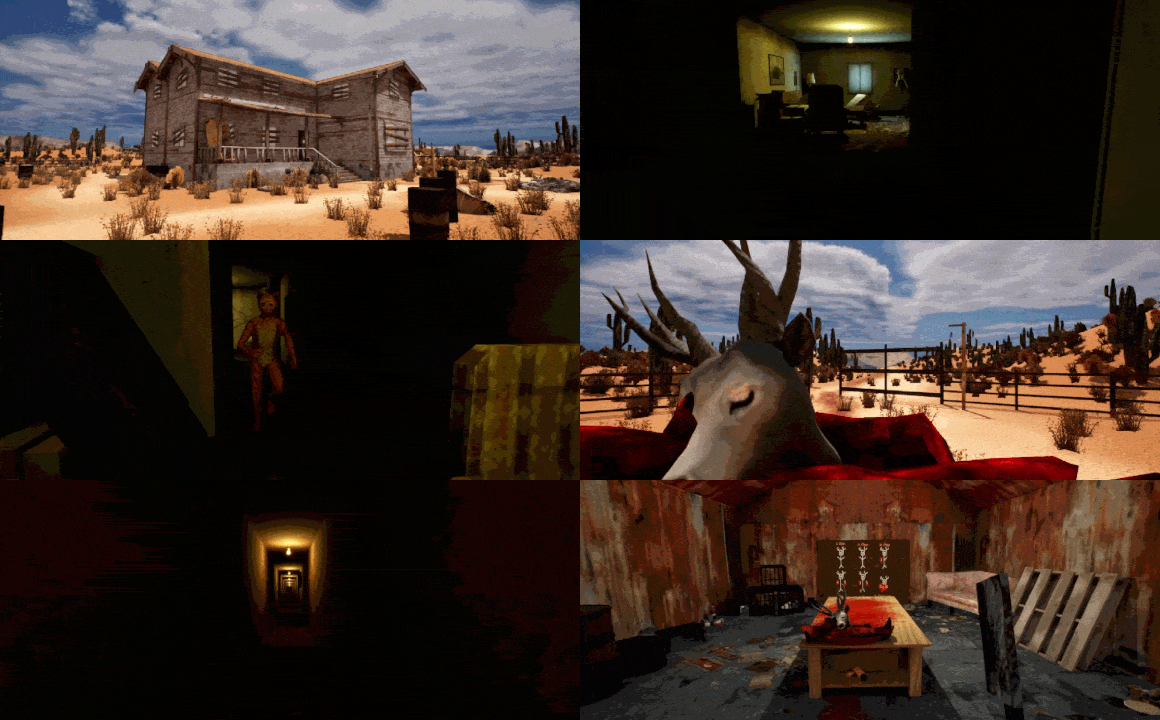
Hunt, Skin, Chop, Survive.
How far are you willing to go to survive? Is it worth it?

A Surreal Horror Experience
A desolate world of uneasy silence and hidden horrors, where a charismatic but deeply unstable Catman is always watching. Simple, brutal gameplay forces you to confront what you’re doing.

System Requirements
- System: Windows 10 64-bit
- Processor: Intel Core i5 7500
- Memory: 8 GB RAM
- Graphics: NVIDIA GTX 1050 TI
- DirectX: DirectX 12
- Storage: 2 GB available space
- Additional Notes: Recommended setting Shadows to low and resolution scale to 50%
- System: 64-bit Windows 10 or later
- Processor: Intel Core i5 10400
- Memory: 8 GB RAM
- Graphics: NVIDIA GTX 1660
- DirectX: DirectX 12
- Storage: 2 GB available space
Cat Named Mojave Free Download
Additional Download Details
Free GOG PC Games PRESENTS:
Cat Named Mojave © Stargazers Studios / Stargazers Studios
We only provide full unmodified DRM-free GOG installers. No serial key, activation, or crack needed.
Latest we have –> Check version info and changelog
Publication type : License
Release : GOG
Interface language : English, Indonesian, Danish, German, Russian, Spanish, Spanish (Latin America), French, Italian, Hungarian, Norwegian, Polish, Portuguese (Brazil), Romanian, Finnish, Swedish, Vietnamese, Turkish, Czech, Greek, Ukrainian, Arabic, Thai, Chinese (simplified), Chinese (traditional), Japanese, Korean
Voice language : None
Instructions
- Click the download button. You can also select a previous version if available.
- You’ll be redirected to Vidgazoo. Wait 5 seconds, then directly click the button or copy the link.
- Make sure you have a supported download client installed (it’s free here) before downloading.
- Once the download process reaches 100%, locate the downloaded files.
- Get ready for installation and make sure you have enough disk space for the game.
- To Install DRM-free Cat Named Mojave:
- Run or double-click
setup_cat_named_mojave_********.exeto launch the installer. - Follow the on-screen instructions to complete the installation.
- If a DLC folder is included, run any
.exefiles inside it as well.
- Run or double-click
- Once the installation is complete, launch the game and start playing.
Need help?
Check our FAQs for common questions and fixes. If you need additional assistance, you can also visit the official GOG Support Center.


