
Total War: SHOGUN 2 - Complete Edition
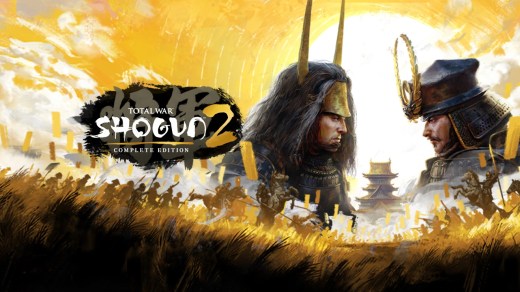
Total War: SHOGUN 2 - Complete Edition is an enhanced grand strategy game set during the turbulent eras of feudal Japan. Lead a powerful clan, manage provinces, forge alliances, sabotage rivals, and command massive armies as you fight to unite Japan and claim the title of Shogun. Build your empire through turn-based campaign management, then command samurai armies directly in large-scale real-time battles, sieges, and ambushes. This Complete Edition includes all DLC, including the Rise of the Samurai and Fall of the Samurai campaigns, along with upgraded visuals, modernized controls, 64-bit support, and additional playable factions.
Show 1 more game badges
System Requirements
- System: Windows 10 (64-bit)
- Processor: Intel Core i3-8100
- Memory: 8 GB RAM
- Graphics: NVIDIA GeForce GTX 1060 with 3 GB VRAM
- DirectX: Version 11
- Storage: 70 GB available space
- Network: Broadband Internet connection
- Other: High settings at 1080p and 30 FPS, or Medium settings at 1440p and 30 FPS without SSAO and SSR.
- System: Windows 11 (64-bit)
- Processor: AMD Ryzen 7 2700X Eight-Core
- Memory: 16 GB RAM
- Graphics: NVIDIA GeForce RTX 2070 SUPER
- DirectX: Version 11
- Storage: 70 GB available space
- Network: Broadband Internet connection
- Other: Medium settings at 1080p and 60 FPS, or High settings at 1080p and 30 FPS.
Total War: SHOGUN 2 - Complete Edition Free Download
Additional Download Details
Free GOG PC Games PRESENTS:
Total War: SHOGUN 2 – Complete Edition © Creative Assembly, MATABOO / SEGA
We only provide full unmodified DRM-free GOG installers. No serial key, activation, or crack needed.
Latest we have –> Check version info and changelog
Interface language : English, French, Italian, German, Russian, Spanish, Japanese, Korean, Polish, Portuguese (Brazil), Spanish (Latin American), Turkish, Czech, Chinese (simplified), Chinese (traditional)
Voice language : English, French, Italian, German, Russian, Spanish, Japanese, Chinese (simplified), Chinese (traditional)
Easy to Download, Install and Play
- Click the download button. You can also select a previous version if available.
- You’ll be redirected to Vidgazoo. Wait 5 seconds, then directly click the button or copy the link.
- Make sure you have a supported download client installed (it’s free here) before downloading.
- Once the download process reaches 100%, locate the downloaded files.
- Get ready for installation and make sure you have enough disk space for the game.
- To Install DRM-free Total War: SHOGUN 2 – Complete Edition:
- Run or double-click
setup_total_war_shogun_2_complete_edition_********.exeto launch the installer. - Follow the on-screen instructions to complete the installation.
- If a DLC folder is included, run any
.exefiles inside it as well.
- Run or double-click
- Once the installation is complete, launch the game and start playing.
Need help?
Check our FAQs for common questions and fixes. If you need additional assistance, you can also visit the official GOG Support Center.


